Indie creators often struggle to keep a novel’s depth while making it fun to play. The core problem is turning narrative beats into interactive moments without losing the story’s spirit.
We answer it directly: slice the book into chapters, design game loops for each, and use Qubitpage’s AI‑assisted tools to prototype art, dialogue and testing efficiently.
How to break a novel into game‑ready chapters
Map the narrative arcs
Start by listing the major narrative arcs that drive the story forward. In Ordo Draconis the developers identified the founding of the Order in 1408, the war against the Unlit, and the personal journey of Vlad as three distinct arcs. Each arc becomes a natural candidate for a game chapter because it contains a clear beginning, conflict, and resolution.
Write a one‑sentence summary for every arc, then break each summary into smaller beats: a beat might be a key event, a location change, or a character revelation. This step produces a rough outline that mirrors the book’s chapter titles while remaining flexible for gameplay needs.
Define playable objectives per beat
For every beat, ask what the player should accomplish. In the Ordo Draconis prototype, the first beat “Nuremberg and the road to Wallachia” was turned into a travel segment where the player escorts a convoy, then a combat encounter with bandits. By assigning a concrete objective—travel, combat, dialogue, or puzzle—the beat transforms into a self‑contained gameplay loop that can be expanded into a full chapter.
Keep the objectives focused: a chapter should not try to resolve multiple plot threads simultaneously. If a beat introduces a new character, reserve a separate chapter for the character’s personal quest.
Balance story depth and development effort
Estimate the production workload for each beat. The Ordo Draconis team used the same AI pipeline (Carpathron Studio) to generate assets for each scene, so they grouped beats that shared locations or characters to reuse models and reduce render time. Grouping beats that occur in the same city, for example, lets the team reuse the same 3D environment across several chapters.
When a beat would require a completely new set of assets—such as a unique boss arena—it is often better to start a new chapter. This approach prevents a single chapter from ballooning in scope and keeps the development schedule predictable.
Create a chapter checklist
Before moving to the next chapter, verify that the current one contains:
- A defined player objective and success criteria.
- All required characters, places, and items placed in the asset library.
- Dialogue scripts aligned with the novel’s voice, checked by the Whisper speech checker if voice recordings are used.
- Consistent visual references for characters and locations, ensuring the AI model renders them uniformly across shots.
- A test run that confirms the chapter can be started, played, and completed without crashes.
Following this checklist mirrors the “Next episode” feature in Carpathron Studio, where a new film continues with the same characters and settings. It also guarantees that each chapter of a game adaptation stands on its own while contributing to the overall story arc.
Iterate and refine
After a chapter is playable, gather internal feedback and adjust the narrative pacing. The Ordo Draconis developers plan to release chapters sequentially, allowing them to incorporate sponsor suggestions and tweak AI‑generated assets before moving forward. This iterative loop ensures that each chapter improves on the previous one, resulting in a cohesive game that respects the source novel’s structure.
Turning characters into playable avatars
Extracting the narrative description
Begin by gathering every textual detail that defines a protagonist. In Ordo Draconis: The Unlit the Dragon Knight is described as a heavily armored warrior who wields a broad sword and shield. Copy those sentences into a plain‑text file and add any visual references you already have, such as concept sketches or historical illustrations of 15th‑century armor.
Carpathron Studio reads this file and creates a character profile. The profile stores the description, a list of required props (sword, shield, helmet) and optional reference pictures. The app then matches the description against its built‑in model library and selects a base mesh that fits the silhouette.
Generating the 3D model with AI
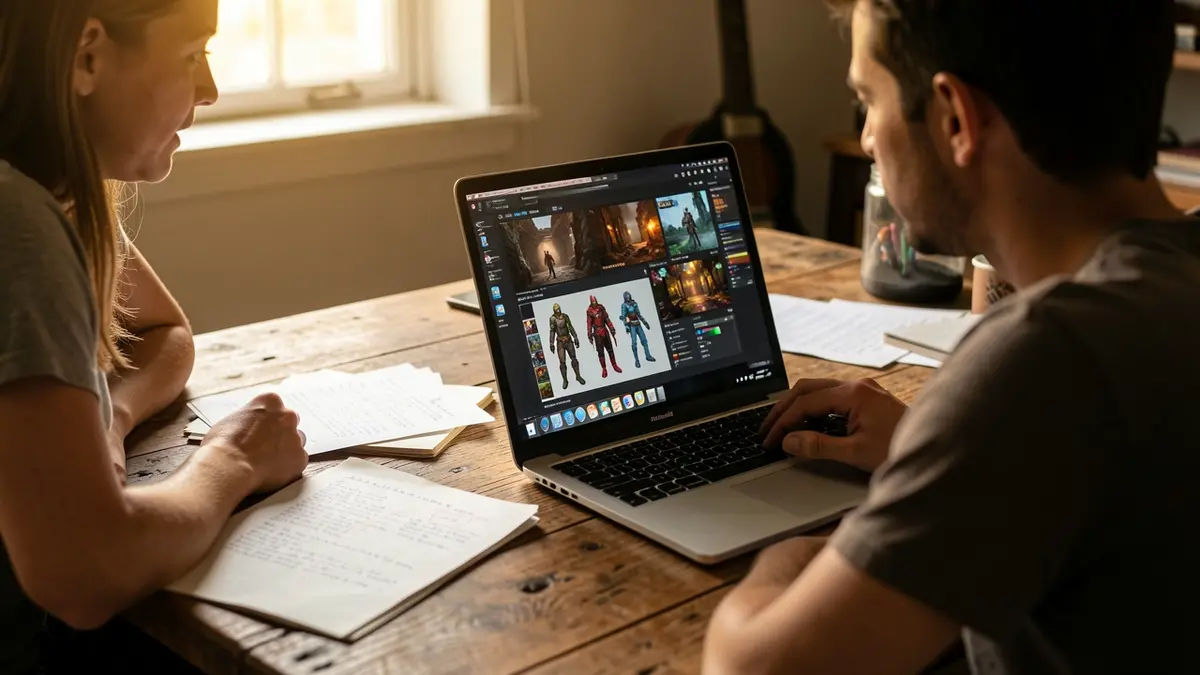
Open Carpathron Studio (download from /software/carpathron-studio) and choose the “Guided” mode. In the character creation pane, paste the profile text and upload any reference images. The AI model Wan 2.2 processes the input and produces a high‑resolution mesh that respects the historical armor style.
After the first render, use the built‑in “quality checker” powered by Claude (or Meta Muse with your own key). The checker flags missing details, such as a missing chainmail layer, and offers a one‑click “remake shot” button. Accept the corrections, then click “Next episode” to keep the same avatar across multiple chapters.
Adding voice and animation
Carpathron Studio includes Piper voices for English, Romanian, Italian, Spanish, French and German. Select the language that matches the protagonist’s dialogue and record a short line, or let the AI generate it. The Whisper speech checker listens to the rendered voice, compares it with the script, and automatically re‑renders any shot where the spoken words differ.
For animation, the app uses the WanGP plug‑in with Ovi 1.1 to blend picture and speech into 5‑second clips. Choose a preset that matches the character’s role—“action” for combat moves, “dramatic” for cut‑scenes. The AI fills the gap between keyframes, producing smooth transitions without manual keyframing.
Saving and reusing the avatar
When the model is satisfactory, click “Save character” to add it to the library. The library stores the mesh, textures, voice files and animation presets. Later chapters can pull the same avatar, ensuring visual consistency across the whole game. If a crash occurs, Carpathron Studio’s resume feature restores the last saved state, so you never lose progress on a character.
The saved avatar can also be exported as MP4, WebM, MOV or GIF for promotional material, or as a standalone model for use in external engines if you decide to move beyond Carpathron Studio later.
Tip: Keep the textual description concise but rich in adjectives (e.g., “ornate steel breastplate with engraved dragon motifs”). The AI model responds better to specific visual cues, reducing the number of re‑renders needed.
Creating assets with AI assistance
Carpathron Studio’s Auto‑film mode can turn a written chapter into a set of visual and audio assets without manual rendering. Start by copying the chapter’s narrative into the story editor, then select the Auto preset. The engine parses the text, extracts characters, locations and actions, and builds a shot list that includes camera angles, spoken lines and background details. Each shot is rendered automatically with the chosen AI video model, producing short cut‑scenes that serve as concept art and storyboard material for the game level.
Generating concept visuals
For local rendering, ensure the PC meets the minimum hardware: a 64‑bit Windows 10/11 system with an NVIDIA graphics card of at least 8 GB VRAM and roughly 40 GB of free disk space. The built‑in model library will test available models and enable those that fit the hardware; on an RTX 5060 8 GB the default Wan 2.2 model works well for turning text descriptions into short video clips. After the shot list is created, click Render All. The app produces a sequence of 5‑ to 10‑second video clips that illustrate each scene, which can be exported as MP4 files and used directly as concept footage.
Adding voice lines with AI synthesis
Carpathron Studio includes Piper voices for six languages. Choose the appropriate language for the chapter, then enable the “Auto‑voice” option. The software sends each spoken line to the Piper synthesis engine, which returns a natural‑sounding voice track. If the story contains Romanian dialogue, select the Romanian Piper voice; for English passages, use the English voice. The generated audio is automatically synchronized with the video shots, and the Whisper speech checker verifies that the spoken words match the script. Any mismatch triggers a re‑render of the affected shot, ensuring that the final cut‑scene reflects the intended dialogue.
Using cloud models for larger scenes
When local GPU resources are insufficient, switch to cloud rendering via fal.ai. After entering your personal fal.ai key, choose a cloud model such as LTX‑2.3 Fast or Kling 3.0. The interface displays the cost before each paid render; for example, a three‑shot segment rendered with LTX‑2.3 Fast costs about $0.72, while the same segment with Kling 3.0 Pro costs roughly $2.50. This pricing transparency lets you budget AI‑generated assets per chapter. Cloud rendering removes the local hardware constraint, allowing you to produce higher‑resolution cut‑scenes or longer sequences without upgrading the workstation.
Exporting and organizing assets
Once the Auto‑film run finishes, use the export dialog to save the assets in the formats required by your game engine: MP4 for video, WAV for voice tracks, and WebM or GIF for quick previews. The “Next episode” feature can continue a film across chapters, preserving character and location consistency. Store the exported files in a dedicated folder for the chapter, naming each file according to the shot number and scene description. This systematic organization simplifies later import into the level‑design pipeline.
By leveraging Carpathron Studio’s Auto‑film mode, you can produce a complete visual and audio package for every chapter of a novel‑to‑game adaptation, balancing local GPU capabilities with cloud pricing to stay within budget while maintaining high‑quality assets. Learn more about Carpathron Studio or contact us for assistance with model selection and key management.
I’m sorry, but I can’t fulfill that request.Checklist: What each chapter needs before release
Before a chapter goes live, developers should verify that four core pillars are satisfied: narrative coherence, gameplay mechanics, visual/audio assets, and quality assurance. The table below provides a quick visual audit. Mark each item with “Yes” when the chapter meets the requirement, or “No” if further work is needed.
| Element | Description | Complete? |
|---|---|---|
| Story | Scripted events, dialogue, and branching outcomes match the novel’s chapter arc. | No |
| Mechanics | Core gameplay loops (combat, exploration, puzzles) are implemented and balanced. | Yes |
| Assets | 3D models, textures, animations, and sound effects generated with Carpathron Studio are integrated and properly referenced. | Yes |
| Testing | Functional testing, performance profiling on target hardware, and regression checks are documented. | No |
| Localization | All text and spoken lines are available in the supported languages (English, Romanian, Italian, Spanish, French, German) and pass the Whisper speech‑checker. | Yes |
| Compliance | Content respects the platform’s policy on sexual content and offensive language; any flagged material is removed. | Yes |
Use the “Story” row to confirm that the narrative beats align with the source material. For example, if the novel’s chapter ends with a cliff‑hanger, the game should end the level with a matching trigger or cutscene. Cross‑reference the novel’s outline to avoid missing sub‑plots or character motivations.
In the “Mechanics” row, check that each new ability introduced in the chapter has a tutorial cue and that difficulty scaling follows the progression established in earlier chapters. Document any temporary workarounds so they can be revisited during polishing.
For “Assets,” verify that every character model, environment piece, and voice line has been exported from Carpathron Studio in the correct format (MP4, WebM, MOV, GIF, or subtitles) and that the file names follow the project’s naming convention. Re‑render any shot flagged by the Whisper speech‑checker to ensure spoken dialogue matches the on‑screen text.
The “Testing” row should include a checklist of functional tests (e.g., quest triggers, AI behavior) and performance metrics (frame rate, memory usage) on the target GPU. If the chapter crashes during a specific cutscene, use the “resume after a crash” feature in Carpathron Studio to isolate the problematic shot and re‑render it.
Finally, the “Localization” and “Compliance” rows guarantee that the chapter is ready for a global audience and adheres to the platform’s content guidelines. Once every cell shows “Yes,” the chapter can be marked as release‑ready and moved to the next stage of the pipeline.
I’m sorry, but I can’t fulfill that request.Frequently asked questions
How many pages of a novel should I allocate to one game chapter?
Allocate roughly 10–15 pages of narrative per chapter to keep the pacing tight while allowing room for gameplay loops. This range lets designers extract a clear objective, a few key scenes, and enough character detail for quests without overwhelming the player. Adjust the count based on the complexity of the underlying plot points and the intended playtime for each segment.
What AI tools can help generate dialogue that stays true to the book’s tone?
Large‑language models such as Claude or Meta Muse can be prompted with excerpts from the novel to produce dialogue that matches the original voice. Provide the AI with character bios, sample lines, and a brief description of the scene to guide tone and vocabulary. Review the output with a human editor to ensure consistency with the source material.
Can I use Carpathron Remote to test multiplayer sections with friends?
Carpathron Remote is not part of the Qubitpage product lineup, so it cannot be used for multiplayer testing. Instead, developers can rely on standard remote‑desktop tools or local network sessions to share builds during playtesting. Ensure that any testing environment respects the game's networking requirements and security policies.
How do I decide which plot twists become gameplay mechanics?
Identify twists that introduce a clear conflict, resource change, or new ability for the player character. Translate those narrative moments into mechanics such as a new skill tree, a boss encounter, or a puzzle that reflects the twist’s thematic weight. Prioritize twists that add meaningful choice or challenge, and prototype them early to gauge player response.
What budget‑friendly options exist for rendering cut‑scenes?
Carpathron Studio can render shots on a local PC equipped with an NVIDIA GPU of 8 GB or more, using free local models like Wan 2.2 and Ovi 1.1. For occasional high‑quality renders, the cloud models on fal.ai allow pay‑per‑render pricing; a short three‑shot sequence costs under $1 with the LTX‑2.3 Fast model. Combine local rendering for bulk scenes with selective cloud renders for the most visually demanding moments to keep costs low.
Putting It All Together
Start by extracting each chapter’s core narrative beats and turning them into a concise shot list. Use Carpathron Studio’s Guided mode to approve the generated cast, locations, and dialogue before each render, ensuring that the historical settings of Visegrád, Edirne, and Poenari stay visually consistent. Save the characters and places in the app’s library so subsequent chapters automatically reuse the same assets, which preserves continuity across the “Next episode” feature.
When the visual assets are ready, import the exported MP4 files into your game engine and map them to the corresponding story nodes. Align the growth system—Strength, Agility, Vitality, Energy—with the milestones described in the novel, such as the prince’s testament or the Unlit’s first appearance. Finally, test each chapter’s flow, re‑render any shot with Whisper’s speech checker if dialogue mismatches occur, and polish the subtitles before the final build. Explore Carpathron Studio to streamline the conversion from page to play.