Carpathron Studio
Write a story in a few sentences and get a finished film. Carpathron Studio writes the cast, the places and the shot list, renders every shot with an AI video model on your own PC or in the cloud, checks the picture and the spoken words, makes wrong shots again and joins everything into one film with sound. No knowledge of AI models is needed.
Free for 3 complete films a day · Pro €3 / month · Max €5 / month · Windows 10 / 11 (64-bit)
Every film shot in this video was made with Carpathron Studio from a written story.
Seven steps, one window
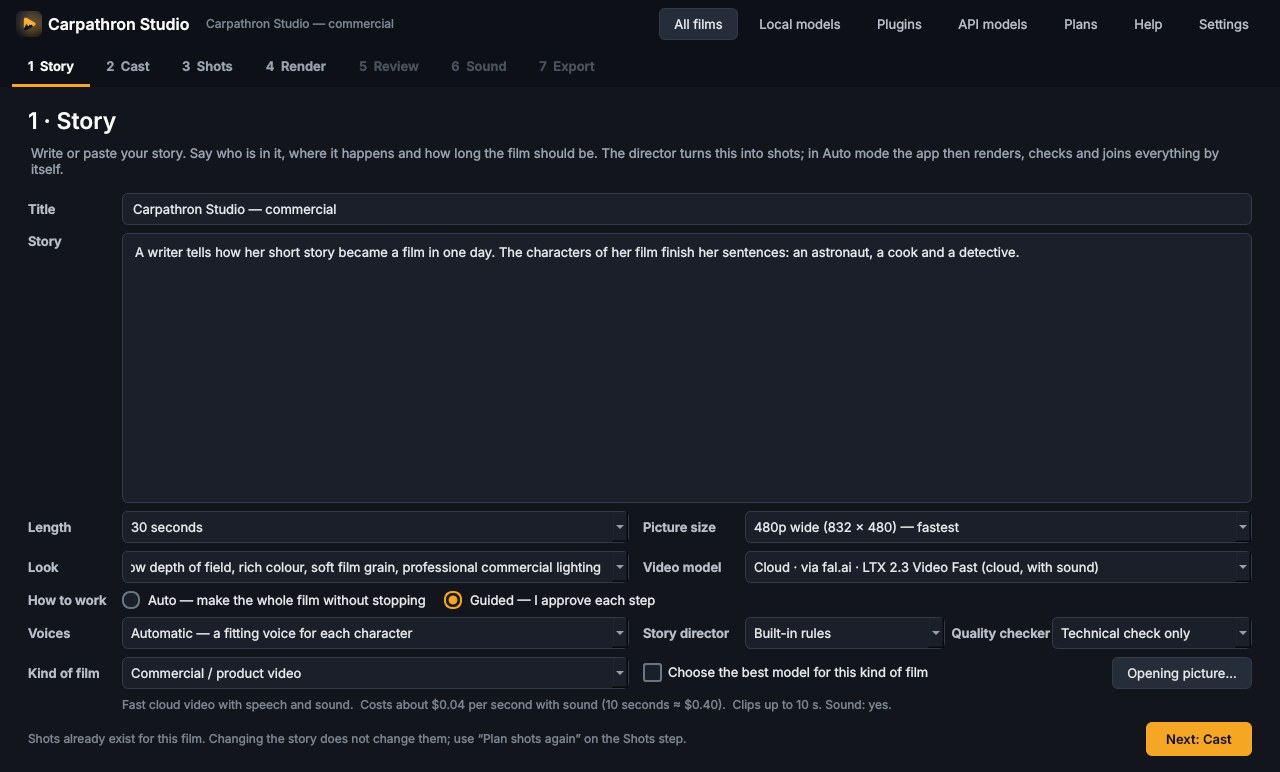
- Story — title, story, kind of film and length. Auto makes the whole film; Guided lets you approve each step.
- Cast and places — every character and place gets a description that is copied into every shot, so faces and rooms stay the same.
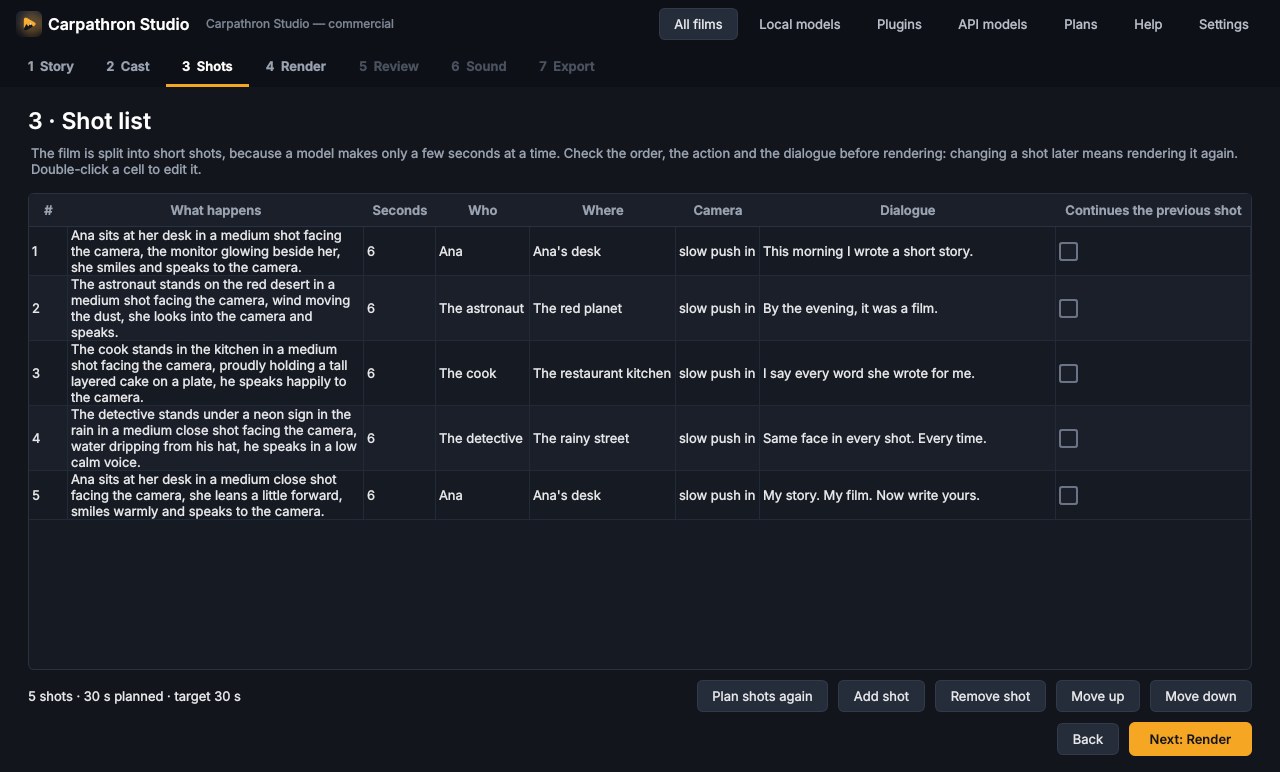
- Shots — the shot list with action, camera and spoken line. Change anything before rendering.
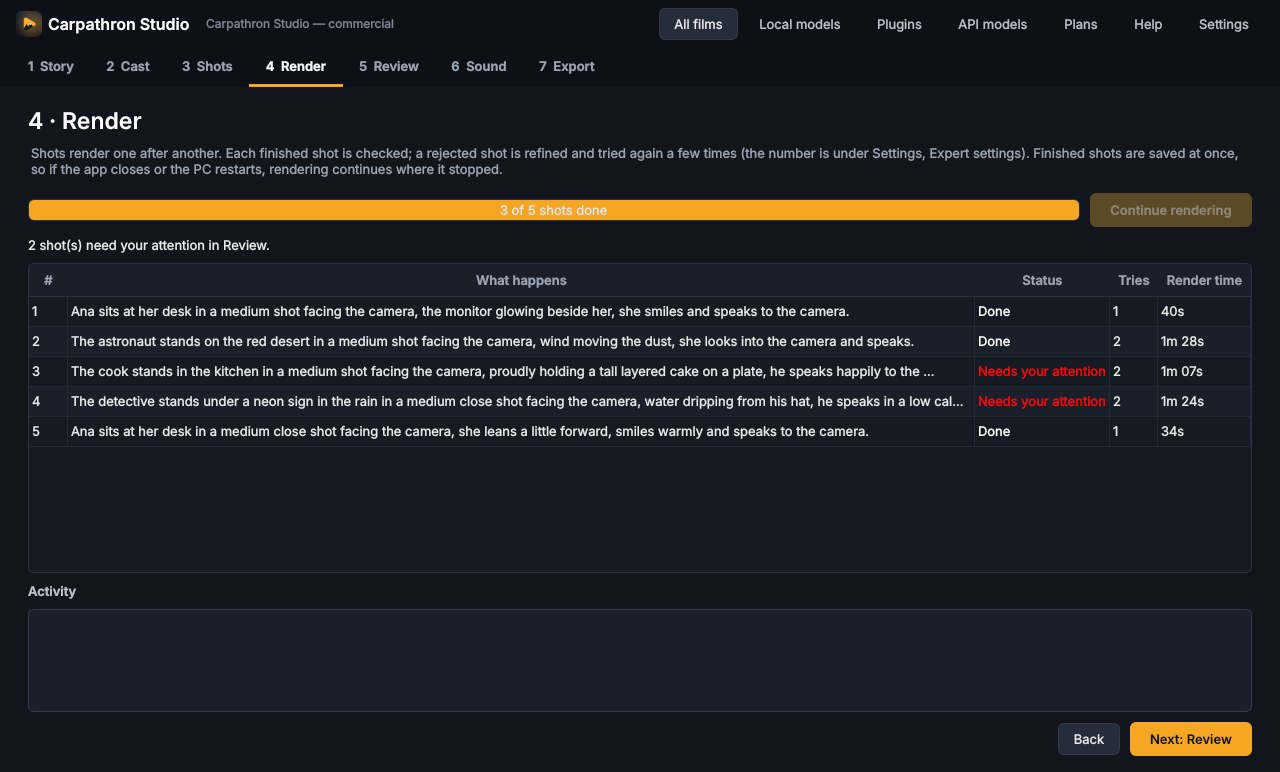
- Render — shots are made one after another and saved at once; after a crash or restart the film continues where it stopped.
- Review — watch each shot, read what the checker saw and heard, write what should change and render only that shot again.
- Sound — voices for silent models, or your own recordings.
- Export — MP4, WebM, MOV, GIF and subtitles.
What the app does for you
From story to shot list
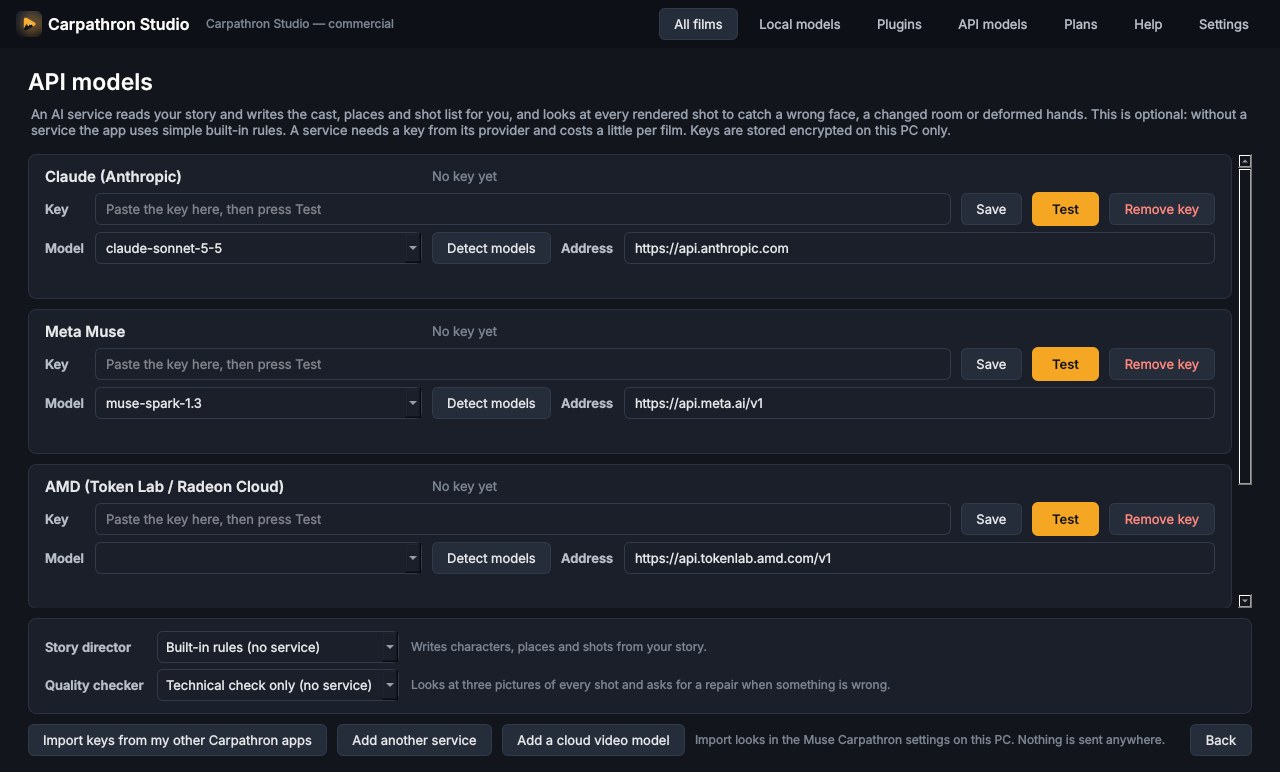
A built-in director turns your text into characters, places and shots. Connect Claude or Meta Muse for a better director; without them the app uses its own rules.
Kinds of film
13 presets — commercial, comedy, action, science fiction, drama, documentary and more — set the look, the things to avoid and the best model for the job.
It checks its own work
Every clip is examined: frozen or broken picture, wrong length, cut-off speech. A speech checker listens to each clip and remakes shots where the wrong words were said.
Same face, same place
Descriptions and reference pictures are repeated in every shot, and a shot can start from the last picture of the one before.
Permanent cast and episodes
Save characters and places to your library and bring them into new films. “Next episode” continues a finished film with the same people and the story so far.
Local or cloud, your choice
Local models are free and private. Cloud models are fast and need no graphics card; the app shows the price before every paid render.
One-click models
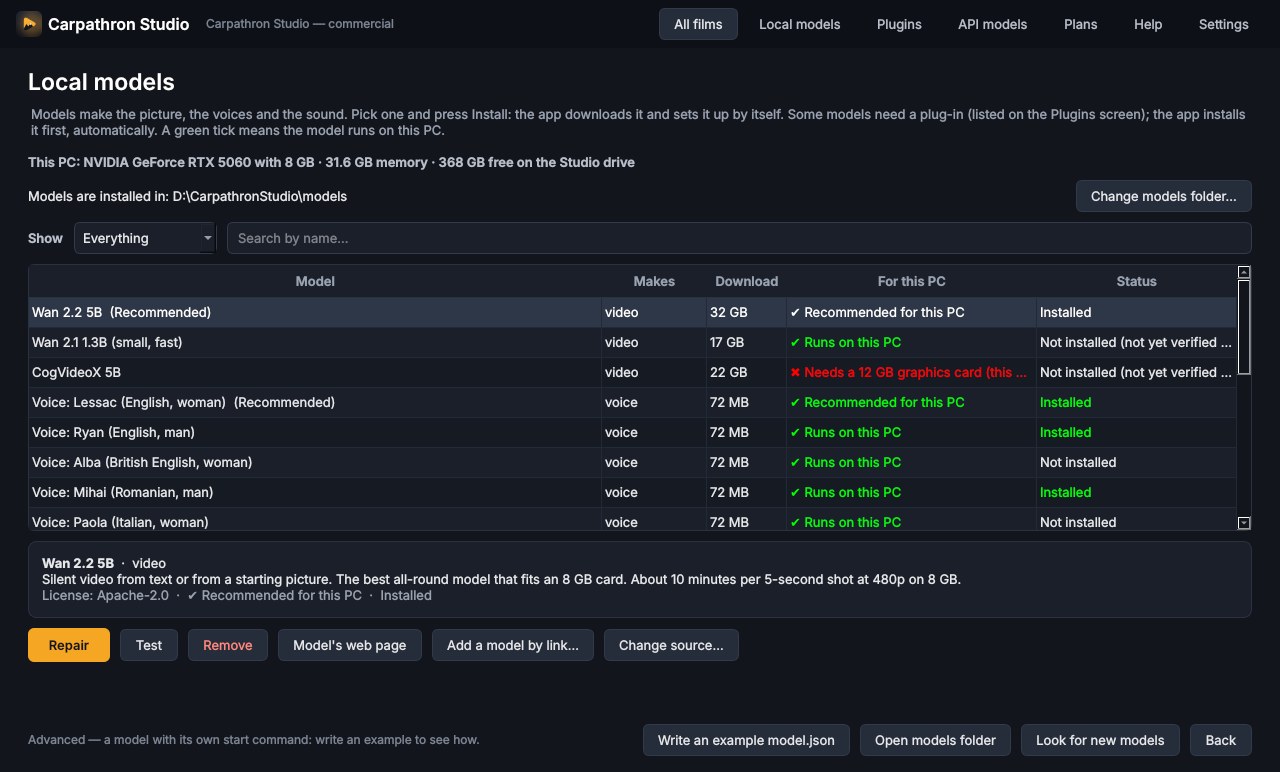
The model library downloads, installs and tests each model by itself, marks the ones that fit your PC and has a second source if a download disappears.
Help built in
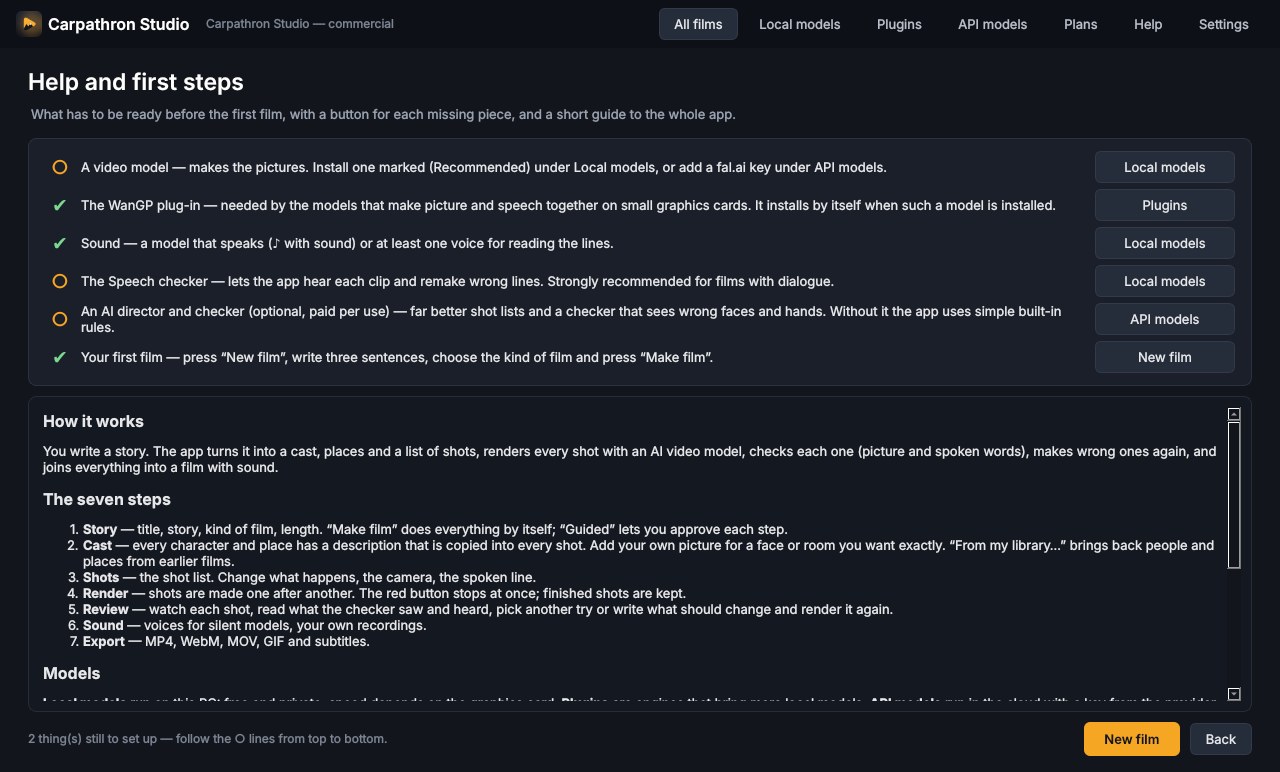
A first-steps checklist shows what is still missing and takes you there. Expert settings open everything the app normally decides by itself.
Private by design
Local models send nothing anywhere. Keys for cloud services are stored encrypted on your PC. The licence check sends only an anonymous code for the PC.
Free, private, no account
- Wan 2.2 5B — video from text or from a starting picture; fits an 8 GB graphics card
- Ovi 1.1 — picture and speech together, 5 or 10 second shots (through the WanGP plug-in)
- Wan 2.1 1.3B, CogVideoX 5B, LTX — more models in the library, each marked if it fits your PC
- Piper — voices in English, Romanian, Italian, Spanish, French and German
- Whisper — the speech checker that hears what was really said
- Add any other model with a small description file or a link
Local models need an NVIDIA graphics card with 8 GB or more. Tested on an RTX 5060 with 8 GB.
Fast, with your own key
- fal.ai — cloud video with sound: LTX-2.3 Fast, LTX-2.5, Kling 3.0, Seedance 2.0 and any other fal.ai video model by its address
- Claude (Anthropic) — story director and quality checker
- Meta Muse — story director and quality checker
- AMD Token Lab — story director and quality checker
- Any other service with an OpenAI-style address
Cloud services are paid to their providers. In our test a 3-shot film with speech cost about $0.72 with LTX-2.3 Fast and about $2.50 with Kling 3.0 Pro.
Example films
Three shots with speech, LTX-2.3 Fast (cloud). All lines right on the first try, about 30 seconds per shot.
The same story with Kling 3.0 Pro (cloud), 1080p.
The app
Loading…
Personal
- 3 complete films a day
- Every function and every model
- Local AI models are free
- Cloud models are paid to their providers
One Pro license works on up to 3 of your PCs, Max on any number of your PCs. VAT is added where the law requires it.
Questions
What do I need?
Windows 10 or 11 (64-bit). For local models: an NVIDIA graphics card with 8 GB or more and about 40 GB of free disk space. With cloud models any PC works.
What does the free plan include?
Every function and every model, for 3 complete films a day. Films you already made today can still be edited and repaired.
What is the difference between Pro and Max?
Both make an unlimited number of films. One Pro license works on up to 3 of your PCs; Max works on any number of your PCs.
Are the AI models included?
The license is for the app. Local models are free and are downloaded inside the app; cloud services such as fal.ai, Claude or Muse are paid to their providers with your own key.
How good is the speech?
It depends on the model. In our tests the cloud models said every line correctly on the first try. The small local speech model often says wrong words; the app hears this and makes the shot again, which takes more time.
How do I activate the license?
Open Carpathron Studio, choose Plans in the top menu, paste the key and press Activate. To move it to another PC, press Release from this PC first.
How do renewals work?
Monthly and yearly plans renew automatically through PayPal. You can stop the renewal any time in your account; the license keeps working until the end of the time you paid for.
Can I get an invoice?
Yes. Write to contact@qubitpage.com with your order number and your company details.