Carpathron PDF Editor
Open any PDF and read it for free. Press Edit and change the text where it is, in the document's own fonts, even on scanned pages: the built-in OCR turns them into real, editable text. Comments, forms, signatures, pages, conversions and a scan for hidden editing history are all in one window.
Free PDF reader · 3-day free trial of every editing tool · then from €3 / month per PC · Windows 10 / 11, macOS 12 or later, 64-bit Linux
Carpathron PDF Editor for Mac
The same app, with the same free reader, 3-day trial and licences, for Macs with Apple silicon or Intel. It is signed and notarized by Apple.
Open the DMG and drag Carpathron PDF Editor to Applications. Needs macOS 12 or later. Versions for iPhone, iPad and the Mac App Store are coming soon. SHA-256 checksums
Carpathron PDF Editor for Linux
The same app, with the same free reader, 3-day trial and licences, for 64-bit Linux.
AppImage: make it executable (chmod +x) and run it. .deb: sudo apt install ./carpathron-pdf-editor_amd64.deb. Converting Office files to PDF needs LibreOffice.
Everything you do with PDFs, in one app
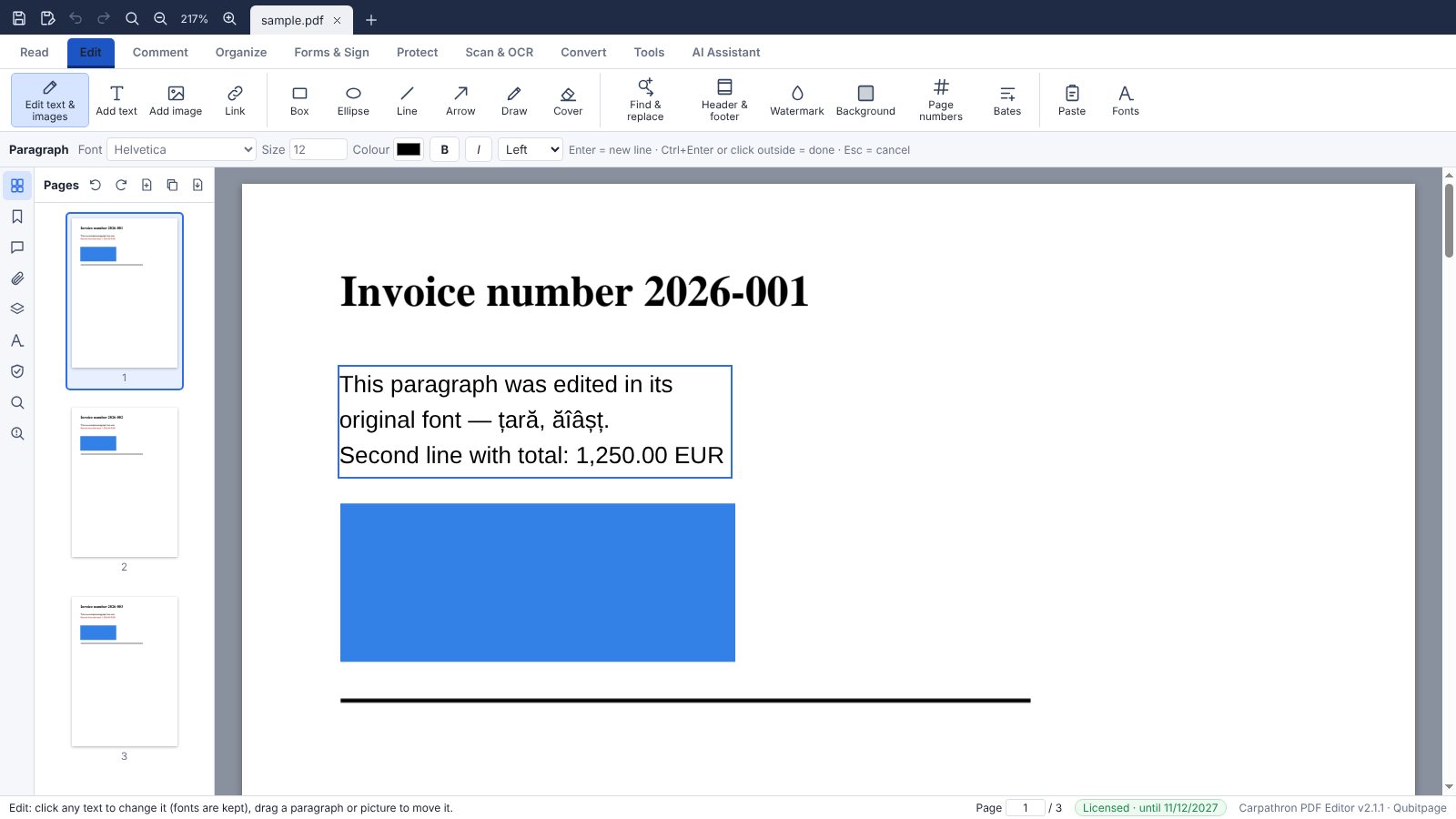
Edit with the original fonts
Click a paragraph and type. The app recognises the document's fonts and uses them, or the closest installed or built-in font with the same widths, so the page keeps its look.
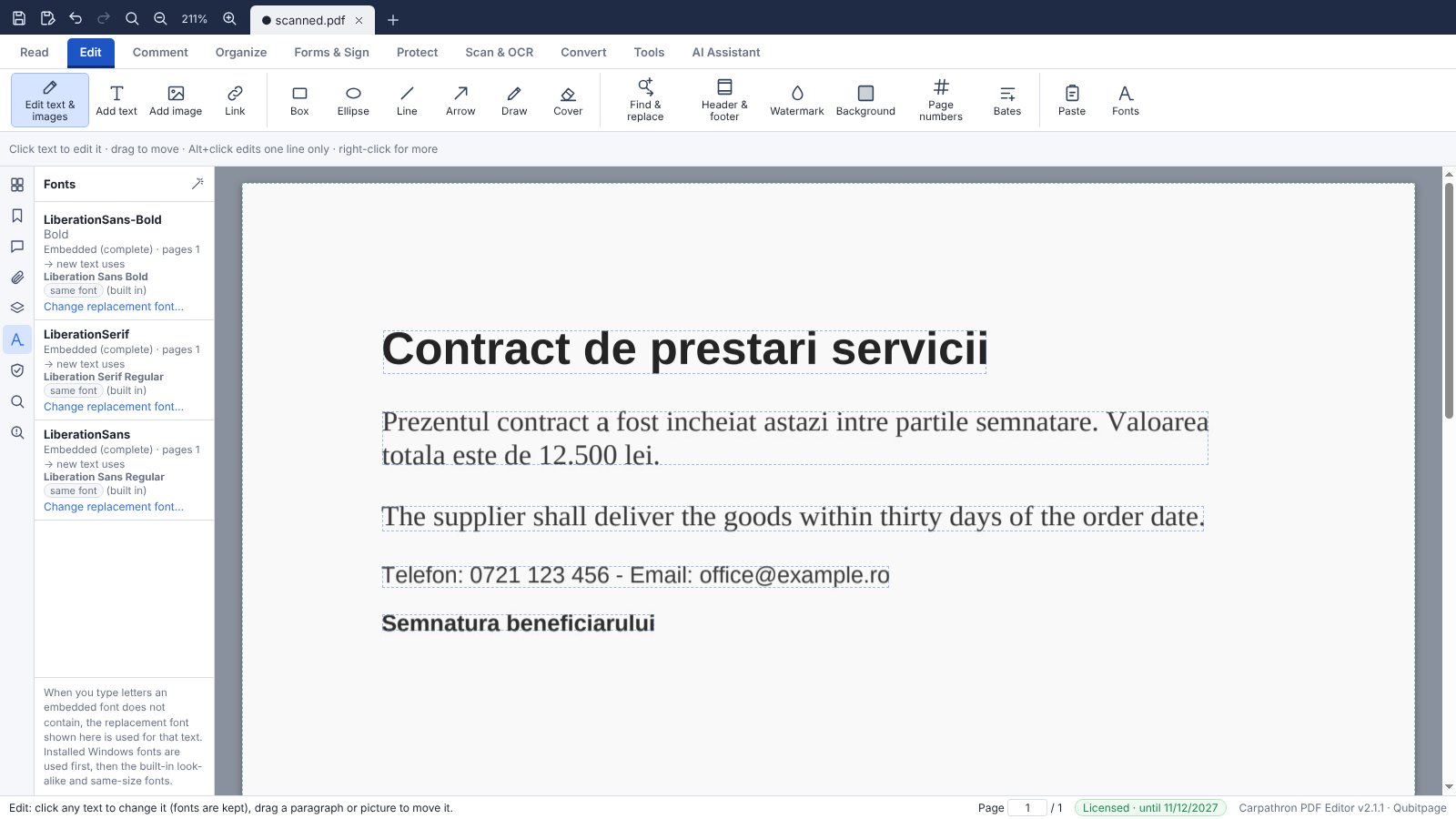
OCR for scans and photos
Scanned pages become real text in a matching font and size, or a searchable layer under the picture. English, Romanian, Italian, French, Spanish and German, on your PC.
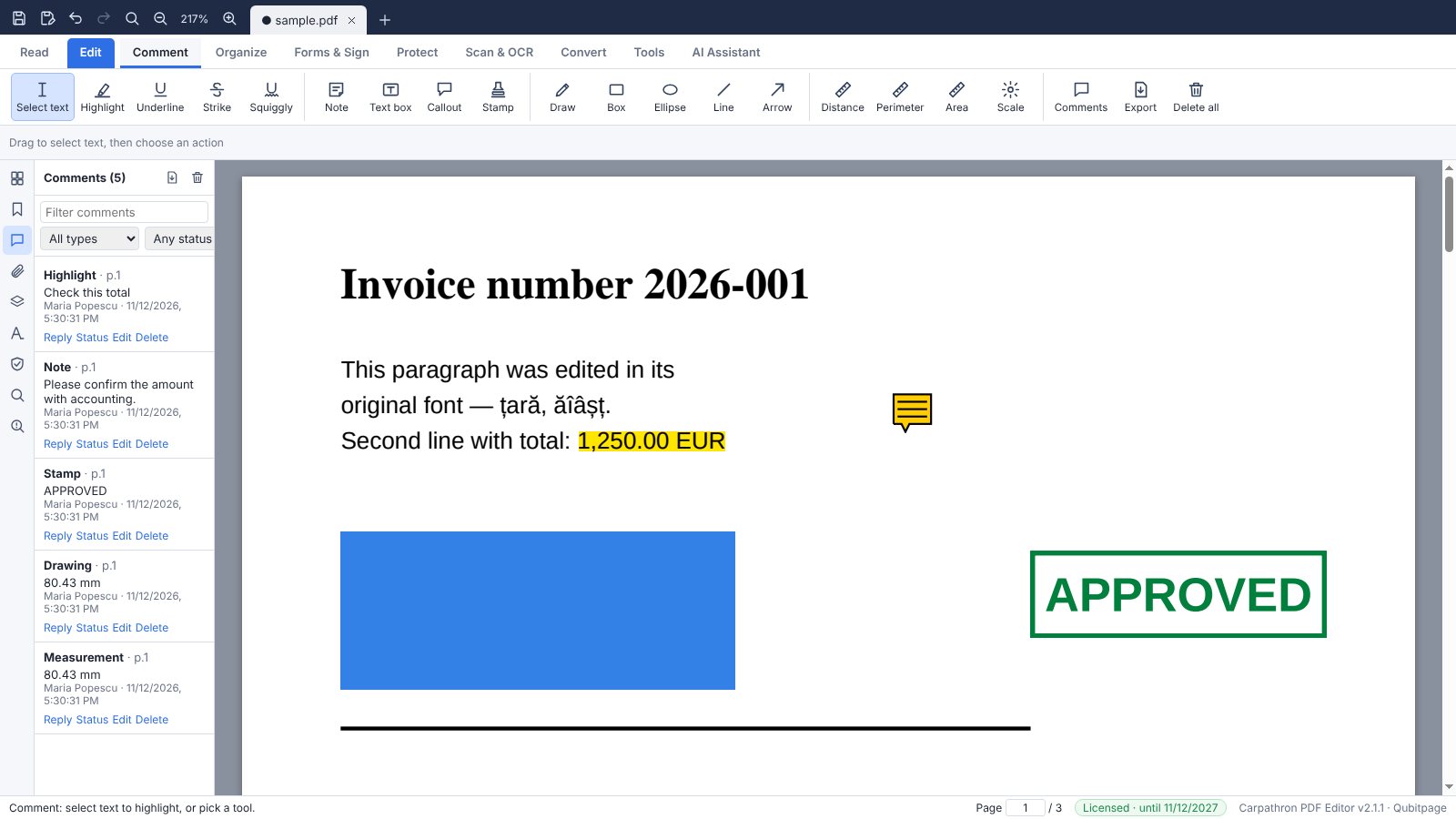
Comments and review
Highlights, notes, text boxes, callouts, stamps, drawings and measurements, with replies and a comment list you can export.
Pages and files
Tabs for several documents, merge files of any kind, split, extract, insert, rotate, crop, page numbers, Bates numbers, headers, watermarks and bookmarks.
Forms and signatures
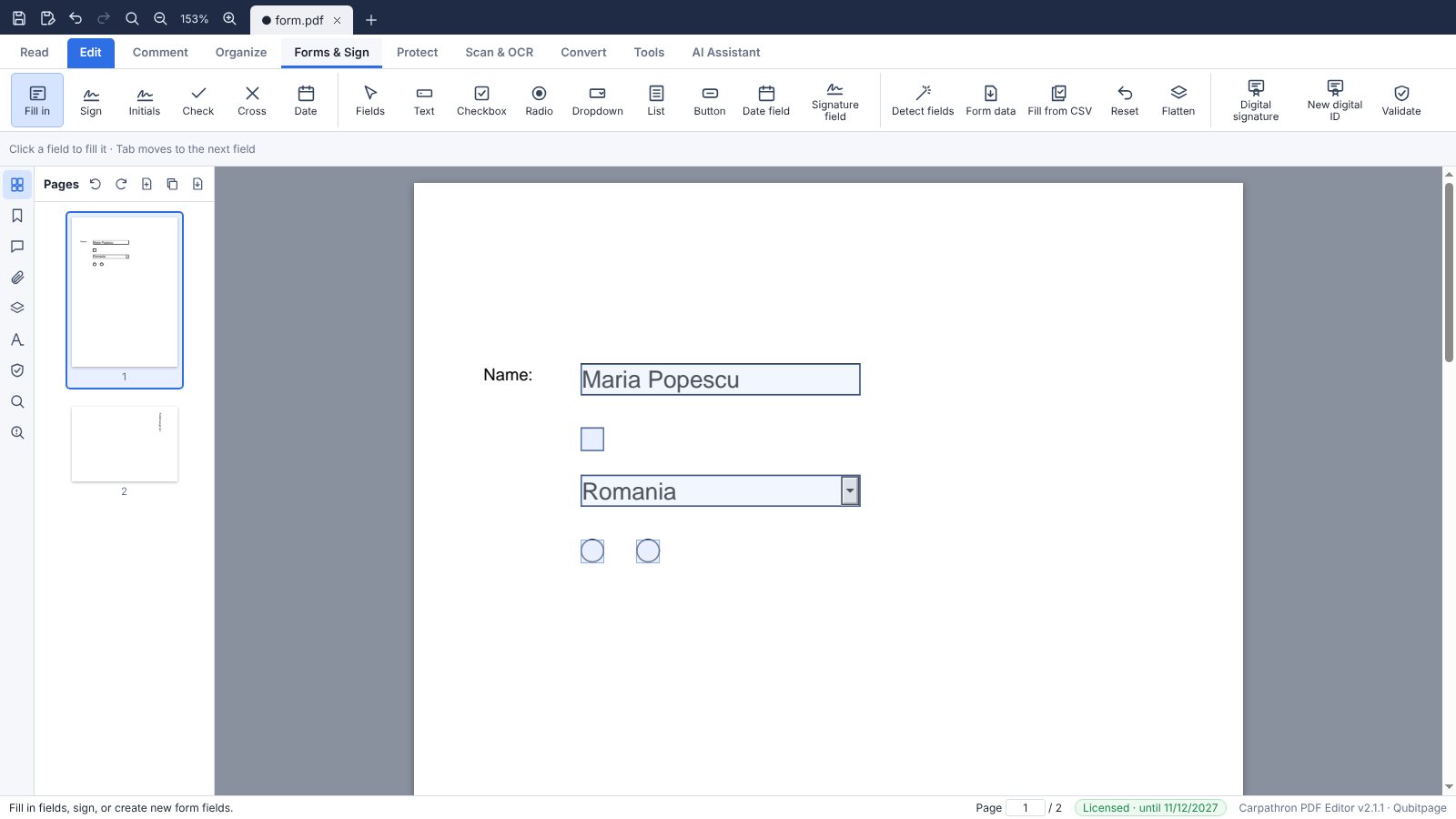
Fill in and create forms, find fields automatically, fill from a CSV, sign with your hand-drawn signature or with a certificate, and check signatures.
Protect and clean
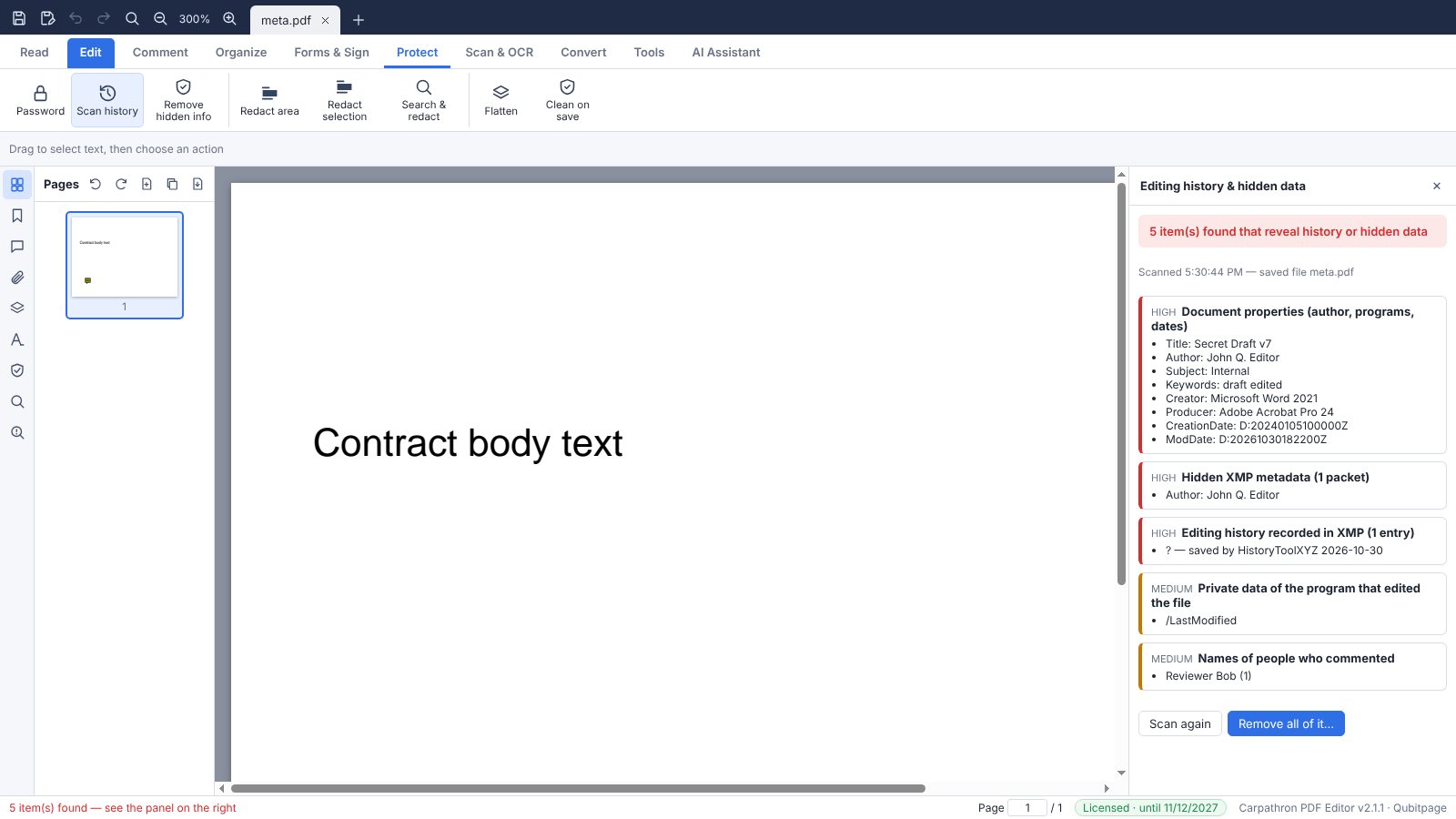
Passwords and permissions, true redaction (also of e-mails, phone numbers and IBANs), and a scan that finds earlier versions, metadata and hidden text — run it again to see that they are gone.
Convert and compare
To and from Word, Excel, PowerPoint, HTML, text and images; compare two versions and get the changes as a Word file with tracked changes.
Your own cloud
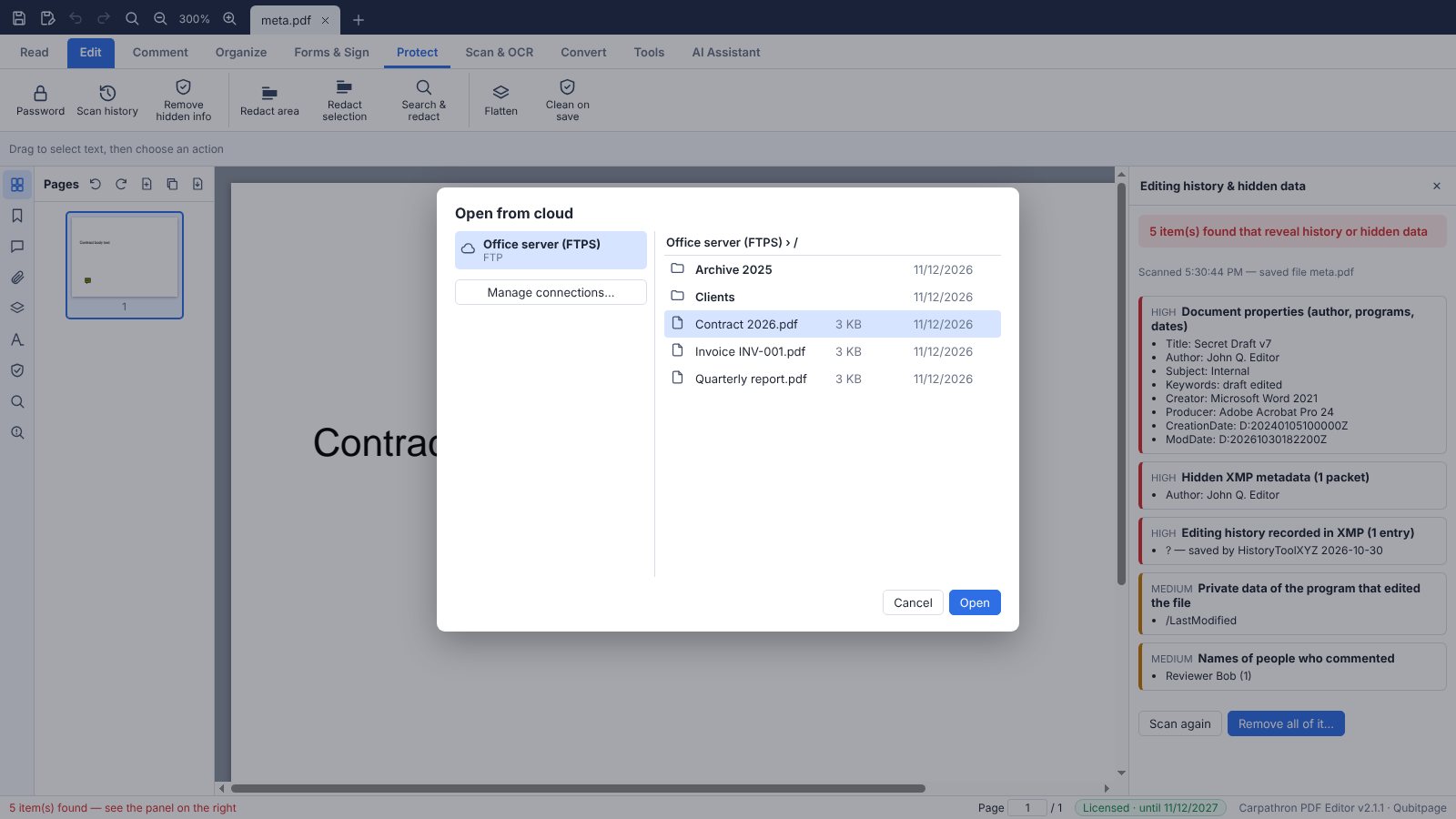
Open and save on Google Drive, Dropbox, OneDrive, FTP, SFTP, WebDAV (Nextcloud and others) or S3 storage with your own account. Files go directly between your PC and your storage.
AI assistant with your own key
Ask questions about the document, summarise or translate it with Claude, ChatGPT, Gemini, Meta AI, Mistral, Groq, DeepSeek, Grok, OpenRouter or a local Ollama model. You add your own API key; it is stored encrypted on your PC and the text goes straight to the provider you chose.
Batch and automation
Process many files at once, watch folders and treat every new file automatically, or run the app from the command line.
A complete PDF reader
- Open any PDF, several documents at once in tabs
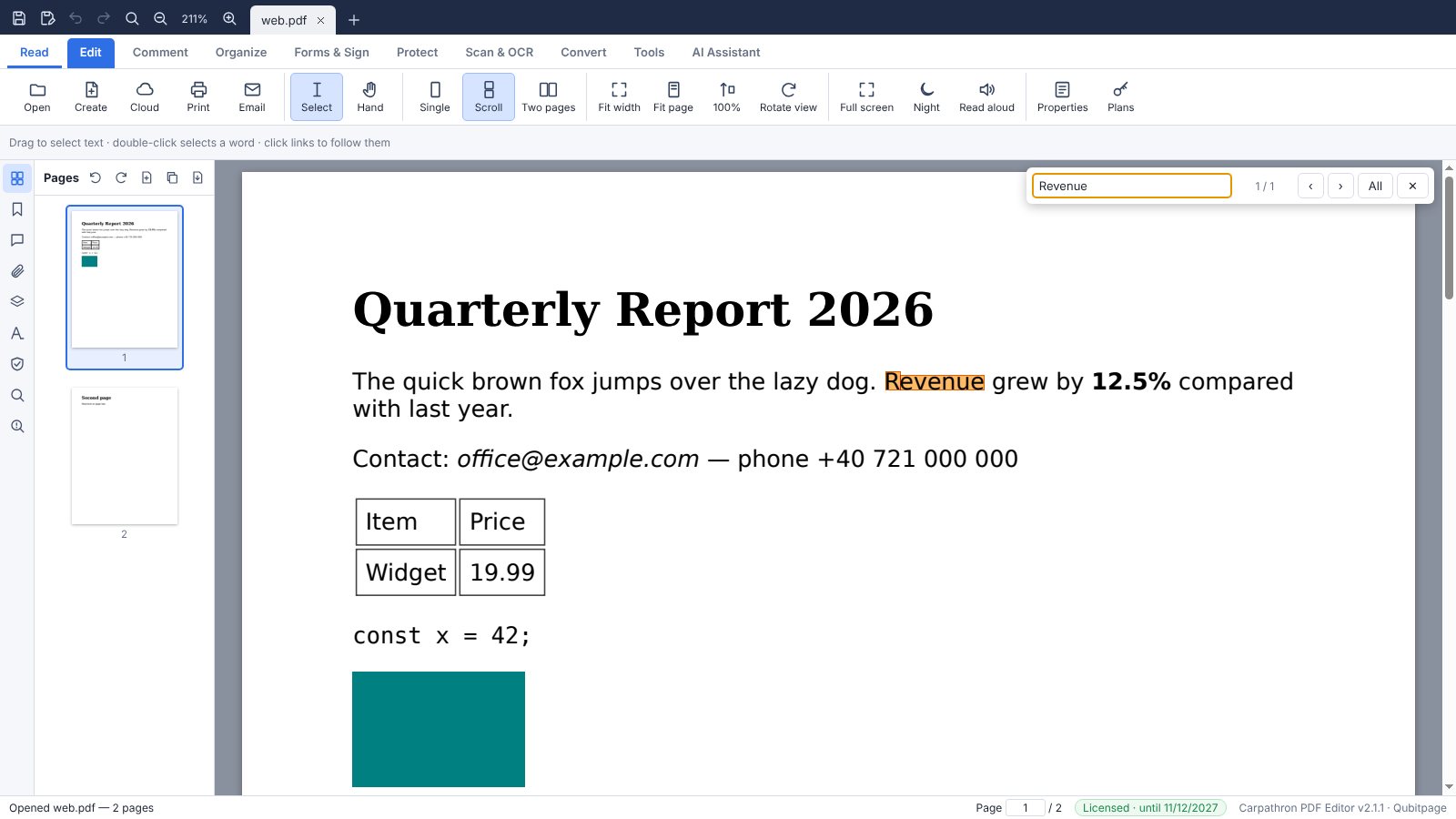
- Single page, continuous scroll, two pages, fit width, fit page, zoom, rotate view, full screen and night mode
- Page thumbnails, bookmarks and attachments; search the whole document with a list of results
- Select and copy text; read the page aloud
- Print and send by email
- Fill in PDF forms and save them; export, import and reset form data
- Open from and save to your own cloud: Google Drive, Dropbox, OneDrive, FTP, FTPS, SFTP, WebDAV (Nextcloud and others) and S3 storage
- Check digital signatures; see the document properties and its fonts
Every editing tool
- Edit text where it is, in the document's own fonts; add text, change size, colour and alignment; find and replace
- Images: add, replace, move, resize, crop, rotate and extract
- OCR for scans and photos in English, Romanian, Italian, French, Spanish and German: real, editable text at the original sizes, or a searchable layer; straighten and clean scans
- Comments: highlight, underline, strike out, notes, text boxes, callouts, shapes, drawings, stamps and measurements, with replies and an exportable list
- Pages: merge files of any kind, split, extract, insert, delete, reorder, rotate, crop and resize
- Page numbers, Bates numbers, headers and footers, watermarks, backgrounds, links and bookmarks
- Forms: create fields or find them automatically, fill many forms from a CSV file
- Signatures: hand-drawn, typed or from a picture; certificate (digital) signatures and your own digital ID
- Protect: passwords and permissions; true redaction, also by searching for e-mails, phone numbers and IBANs
- Privacy: find and remove earlier versions, metadata, editing history and hidden text, then scan again to confirm
- Convert to Word, Excel, PowerPoint, HTML, RTF, text and images; create PDFs from Office files, pictures, web pages and the clipboard
- Compare two versions and export the changes as a Word file with tracked changes
- Compress, preflight and accessibility check; batch processing, watched folders and command line
- AI assistant with your own key (Claude, ChatGPT, Gemini, Meta AI and others): summarise, explain, translate and rewrite
The app
Loading…
Personal
- Read, search and print any PDF
- Fill in forms and save them
- Open from your own cloud
- Check digital signatures
Prices are per PC where you edit (the PC where you enter the key). Reading, printing and filling in forms stay free. Prices in euro (EUR); VAT is added where the law requires it.
Questions
What do I need?
Windows 10 or 11 (64-bit), macOS 12 or later (Apple silicon or Intel) or 64-bit Linux. The app, the OCR languages and the fonts are included; no account is needed to read PDFs.
What is free?
Reading, searching, printing, filling in forms, opening from your cloud and checking signatures are free, without a time limit. Editing, OCR, conversions and the other tools need a license.
Can I try the editing tools first?
Every editing tool is free to try for 3 days on each PC, counted from the first start. After that, reading stays free and editing needs a license.
How is the license counted?
One license per PC where you edit. Buy as many PCs as you need in one order; longer plans cost less per month.
How do I activate it?
Open Carpathron PDF Editor, click Plans (bottom right, or Tools → Plans), paste the key and press Activate. To move it to another PC, press Release this PC first.
Does it need the internet?
Only to start the trial, to activate the license and to check it every few days. Your documents never leave your PC, except when you open or save them in your own cloud or ask the AI assistant, which sends the text to the AI provider you chose.
Which clouds can I use?
FTP, FTPS, SFTP, WebDAV (Nextcloud, ownCloud, Synology, Box, pCloud) and S3-compatible storage work at once with your login. Google Drive, Dropbox and OneDrive work through their sync folders, or directly with your own free app ID from Google, Dropbox or Microsoft (the app explains the steps).
How do renewals work?
Monthly to yearly plans renew automatically through PayPal; you can stop the renewal any time in your account and the license keeps working until the end of the time you paid for. The 2-year plan is one payment.
Can I get an invoice?
Yes. Write to contact@qubitpage.com with your order number and your company details.