
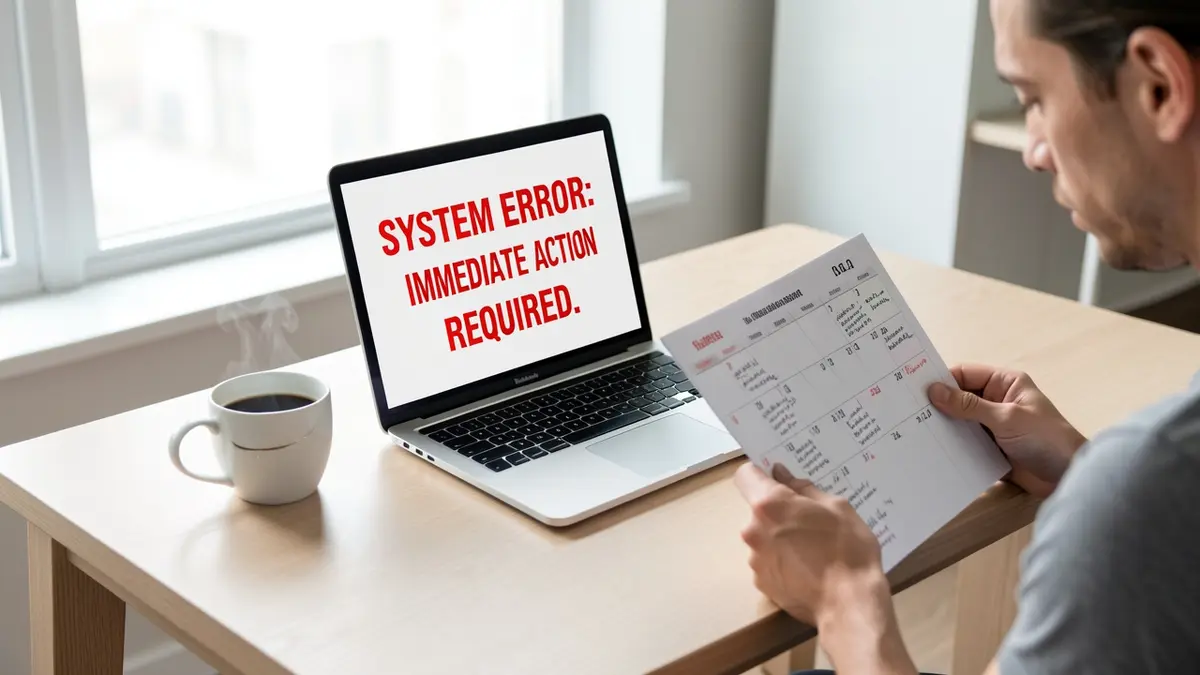
Many business owners discover too late that their domain has expired, leaving their website offline, email undeliverable, and search results pointing elsewhere.
The quick fix is to renew the domain immediately, but understanding the full impact and how scammers reuse expired names helps you prevent future problems.
Why an expired domain instantly stops your online presence
Loss of DNS resolution
When the registration period of a domain ends, the registrar removes the zone file from its authoritative DNS servers. Without a valid A or CNAME record, browsers cannot resolve the hostname to an IP address, so the website returns a “server not found” error. The same applies to MX records that route inbound email; once they disappear, any messages sent to info@yourcompany.com bounce back or are dropped entirely.
Search engine de‑indexing
Search engines crawl sites based on DNS responses. As soon as the domain stops resolving, crawlers receive a 404 or DNS‑NXDOMAIN response. Google and Bing interpret this as a signal that the site is no longer available and begin to remove the URLs from their indexes. Within a few days, the pages disappear from search results, wiping out organic traffic that may have taken months or years to build.
Impact on linked services
Many third‑party services – analytics, payment gateways, CRM integrations – rely on the domain name to authenticate callbacks or webhooks. When the DNS entry vanishes, those callbacks fail, causing transaction errors, broken tracking pixels, and loss of data synchronization. The effect ripples across the entire digital ecosystem of the business.
Immediate visibility loss
Even if the domain is in a grace period, most browsers and email clients treat it as unavailable. Customers attempting to visit the site or send an email encounter error pages, which erodes trust and can drive them to competitors. The sudden silence also gives scammers an opening to register the domain and replace the content with malicious or fraudulent pages.
If you suspect that your domain has expired, the fastest way to confirm the DNS status is to run a dig or nslookup query. A missing answer set confirms that the registrar has already purged the records. At that point, contacting the registrar or a specialist service is critical to restore control before the domain enters the public auction pool.
Qubitpage can help you assess the damage and guide the recovery process. Reach out via our contact page for a free website check and a fixed quote on domain recovery or migration to a more resilient hosting setup.
How scammers take over expired business domains
Domain parking for quick cash
When a business domain lapses, scammers often register it within minutes using bulk‑registration services. The first step is to point the domain to a parking page that displays generic advertisements. Because the domain already holds search‑engine rankings, the parked page can generate impressions and clicks without any effort from the original owner.
Parking services typically embed a script that pulls ads from networks such as Google AdSense or specialized domain‑parking exchanges. Each visit to the expired domain yields a fraction of a cent, and high‑traffic brand names can accumulate significant revenue over weeks.
Malicious redirects to exploit existing traffic
Another common tactic is to configure the domain’s DNS records to redirect visitors to a malicious site. Scammers set up 301 or 302 redirects that forward traffic to affiliate pages, malware distributors, or competitor landing pages. Because the original URL remains in the browser’s address bar for a short time, users often trust the destination.
These redirects can be chained: the expired domain points to a short URL service, which then forwards to a site hosting drive‑by download scripts. The result is a loss of brand trust and potential security incidents for customers who unknowingly download harmful files.
Phishing pages that mimic the legitimate brand
Scammers can recreate a convincing replica of the original website, complete with logos, colour schemes and login forms. By hosting the phishing page on the expired domain, they benefit from the brand’s existing SEO authority, making the fake site appear higher in search results than a newly registered domain.
Visitors who enter credentials on the counterfeit login form have their data captured in real time. Attackers then use the harvested information for credential stuffing attacks against other services, or sell the data on underground markets.
Integration into ad‑ware and malware networks
Expired domains are attractive entry points for ad‑ware operators. After taking control, scammers embed scripts that inject unwanted advertisements into any site that later links to the compromised domain. These scripts can also serve as a conduit for delivering ransomware or cryptojacking code to unsuspecting users.
Because the domain already carries inbound links from partners, directories and social media, the malicious code spreads quickly across the web ecosystem, amplifying the scammer’s profit while damaging the original brand’s reputation.
Tip: Set up automatic renewal alerts in your domain registrar and enable a grace period; this blocks scammers from registering the domain the moment it expires.
Scammers profit primarily from the brand’s existing traffic and reputation. By exploiting the domain’s SEO value, they can monetize visits through ads, extract user credentials, or distribute malware, all while the legitimate business struggles to regain its online presence.
For businesses that need professional assistance to recover or protect their digital assets, Qubitpage offers custom software development and security clean‑up services starting at 149 €, reachable via our contact page.
Immediate steps to recover an expired domain
When a business website goes offline because the domain has expired, time is critical. Acting quickly can prevent loss of traffic, SEO value, and the risk of a scammer taking control. Follow this concise checklist to restore ownership and get your site back online.
- Locate the registrar’s expiration notice. Search your inbox for the last email from the domain registrar; it usually contains a renewal link and a grace‑period deadline. If you cannot find it, log in to the registrar’s control panel and review the “Billing” or “Domain status” sections for the exact expiration date.
- Verify the domain’s grace period. Most registrars offer a 0‑30‑day grace window during which you can renew without additional fees. The control panel will display whether the domain is still in “Grace” or has entered the “Redemption” phase, which may require a higher fee.
- Initiate renewal immediately. Click the renewal button in the registrar dashboard or follow the link in the email. Choose the longest registration term you can afford to reduce future renewal risk. Confirm the payment and keep the receipt for reference.
- Contact registrar support if renewal fails. Use the support chat or ticket system to explain the situation; provide the domain name, your account ID, and the receipt you received. Ask the agent to confirm that the domain status has changed to “Active” and request a confirmation email.
- Restore DNS records. Once the domain is active, navigate to the DNS management page. Re‑enter the original A, CNAME, MX, and TXT records that point to your web server, email provider, and verification services. If you have a recent backup of the DNS zone file, import it to avoid manual entry errors.
- Test connectivity. Use
digor an online DNS checker to verify that the domain resolves to the correct IP address. Open the website in a browser and confirm that all pages load, SSL certificates are valid, and email flow works. - Update registrar contact information. Ensure that the administrative and technical email addresses are current. This prevents missed renewal notices in the future. Consider adding a secondary contact email for redundancy.
- Schedule a post‑recovery audit. Within the next 24‑48 hours, review server logs for any unexpected traffic spikes that could indicate a brief hijack. Document the incident and add the recovery steps to your internal SOPs.
Completing these actions restores the domain and reduces the chance that a scammer can exploit the lapse. For ongoing protection, pair domain monitoring with Qubitpage’s managed hosting plans, which include daily backups and DDoS protection (contact us for details).
Preventing domain expiration: a renewal checklist
Enable auto‑renew with your registrar
Choose a registrar that offers a reliable auto‑renew feature and activate it for every domain you own. The setting automatically charges the renewal fee before the expiration date, eliminating the risk of a missed payment. Verify that the payment method on file is current and has sufficient funds, and test the auto‑renew flag by checking the domain’s status page after a successful renewal.
Set multiple calendar reminders
Do not rely on a single reminder. Create at least two alerts: one 30 days before the due date and another 5 days prior. Use a primary calendar (such as Google Calendar) and a secondary one (like Outlook) to ensure you receive a notification even if one platform fails. Include the registrar’s renewal URL in the event description for quick access.
Maintain accurate contact information
Registrars send renewal notices to the email address listed in the WHOIS record. Keep this address up to date and use a dedicated mailbox that is monitored regularly. If you manage multiple domains, consider a shared alias (e.g., domains@yourcompany.com) that forwards to all relevant team members.
Choose a registrar with transparent policies
Prefer registrars that provide clear renewal pricing, grace periods, and redemption fees. Review their support SLA and ensure they offer a straightforward process for updating payment details. A registrar that publishes a public renewal calendar can also help you cross‑check dates.
Monitor expiration dates with a free service
Subscribe to a free domain‑monitoring tool such as WhoisXML API or a similar service that sends email alerts when a domain approaches its expiry. Configure the service to watch all your domains and to forward alerts to the same mailbox used for registrar communications.
Tip: Keep a spreadsheet that lists each domain, its registrar, renewal date, auto‑renew status, and the contact email. Update the sheet after every renewal to maintain a single source of truth.
Document the renewal workflow
Write a short SOP (Standard Operating Procedure) that outlines who is responsible for checking renewal status, approving payments, and confirming the renewal in the registrar’s dashboard. Store the SOP in a shared drive and review it annually to incorporate any changes in registrar policies or payment methods.
Back up domain configuration
Export DNS zone files and SSL certificates before the renewal window opens. In the unlikely event of a registrar outage, you can quickly re‑establish the domain on an alternative registrar using the saved configuration. Store these backups in a secure, version‑controlled repository.
Contact support proactively
If you notice any discrepancy—such as a missing renewal email or an unexpected payment error—reach out to the registrar’s support team immediately. Early communication can prevent a domain from slipping into the redemption phase, where fees increase dramatically.
Following this checklist reduces the chance that an expired domain becomes a foothold for scammers and keeps your online presence continuously available. For personalized advice on securing your digital assets, feel free to contact Qubitpage.
Tools and services to monitor domain health
Regularly checking a domain’s status helps you spot registration problems, SSL expiration, or unexpected DNS changes before the registrar disables the name. Free tools typically provide basic alerts for expiry dates and certificate validity, while paid services add deeper scans such as malware detection, uptime monitoring, and automated renewal reminders.
Qubitpage’s free website‑check, available through the contact page, generates a quick report that includes DNS resolution, SSL certificate age, and a summary of page load performance. The service is designed for small businesses that need a single‑click health snapshot without installing additional software. For organizations that run multiple sites, Qubitpage also offers managed hosting plans that embed daily health checks and automatic alerts as part of the Business and Shop packages.
Below is a concise comparison of three popular monitoring options. Each row lists the core feature set, the typical cost, and the type of notification you receive when a problem is detected.
| Service | Free / Paid tier | Key monitoring features | Alert method |
|---|---|---|---|
| Qubitpage website‑check | Free (single domain) / Business hosting (€29 / month) | DNS lookup, SSL expiry, page load time, basic security scan | Email summary, dashboard badge |
| UptimeRobot | Free (50 monitors) / Pro (€5 / month) | HTTP/HTTPS uptime, SSL certificate expiration, response time | Email, SMS, webhook |
| Site24x7 | Free trial / Professional (€9 / month) | Uptime, SSL, DNS health, server resource usage, malware scan | Email, mobile push, Slack integration |
| DomainTools Monitoring | Paid only (starting €15 / month) | Domain WHOIS changes, DNS record alterations, SSL expiry, brand‑watch alerts | Email, API webhook |
| Google Search Console | Free | Indexing status, security issues, manual actions, crawl errors | Email, console notification |
When selecting a solution, start by listing the domains you own and the specific risks you want to mitigate. If you only need to know when a certificate or registration expires, a free tool like Qubitpage’s website‑check or Google Search Console may be sufficient. For businesses that host e‑commerce stores on CarphaCom, the Business hosting plan already includes daily checks, so an external service becomes redundant.
For more comprehensive coverage—especially if you operate multiple sub‑domains, custom DNS configurations, or third‑party integrations—invest in a paid tier that offers API access and multi‑channel alerts. This ensures that any unexpected change, such as a name‑server update performed by a scammer, reaches your IT team instantly, giving you enough time to intervene before the domain is transferred or taken offline.
What to do if a scammer has already hijacked your domain
File a dispute with the registrar
Contact the registrar that manages the domain as soon as you notice the hijack. Use the registrar’s official dispute or abuse form and provide proof of ownership, such as the original registration invoice, WHOIS records showing your name, and any email correspondence confirming the domain was under your control. Request an urgent “Domain Transfer Lock” removal and a restoration of the original name‑servers.
If the registrar offers a Uniform Domain‑Name Dispute‑Resolution Policy (UDRP) process, submit a complaint within the stipulated 60‑day window. Include screenshots of the fraudulent site, evidence of brand infringement, and a signed declaration stating that the domain was registered in good faith for legitimate business use.
Contact the hosting provider
Identify the current hosting provider through a reverse IP lookup or by examining the HTTP headers of the hijacked site. Reach out to their abuse team, reference the registrar dispute ticket, and ask them to suspend the malicious content while the ownership issue is resolved. Provide the same ownership documents and a brief timeline of the domain’s loss.
Ask the provider to preserve server logs for forensic analysis. These logs can help demonstrate that the site’s content was altered without your consent, which strengthens both the registrar dispute and any potential legal claim.
Restore brand reputation with Google Search Console
Once the domain is back under your control, verify ownership in Google Search Console using the recommended DNS TXT record or HTML file method. After verification, submit a request to remove malicious URLs from the index via the “Removals” tool. This accelerates the de‑indexing of scam pages that may still appear in search results.
Publish a “Site Notice” page explaining the breach and the steps taken to secure the site. Use the “Security Issues” report in Search Console to confirm that Google no longer flags the domain for phishing or malware.
Re‑verify email and other services
Update MX records to point to your legitimate mail server and re‑verify the domain in all email platforms (e.g., Microsoft 365, Google Workspace). Send a re‑verification email to each service, and reset passwords for any accounts that used the compromised domain as a login identifier.
Notify customers and partners of the incident, providing a clear timeline and new contact addresses. This transparency helps rebuild trust and reduces the risk of phishing attacks that exploit the previous hijack.
Consider legal recourse
- Engage a trademark attorney to file a cease‑and‑desist letter against the hijacker.
- If the registrar or hosting provider fails to act, explore filing a complaint with the relevant national cyber‑crime unit.
- Document all communications and retain invoices; they may be required as evidence in civil or criminal proceedings.
By combining registrar disputes, hosting provider engagement, search‑engine clean‑up, and email re‑verification, you can regain control of the domain and begin repairing the damage to your brand’s online presence.
Frequently asked questions
How long does it take for a domain to become available after expiration?
After a domain expires, the registrar typically places it in a renewal grace period that lasts between 0 and 30 days, depending on the registrar’s policy. If the owner does not renew during that window, the domain enters a redemption period of up to 30 days, during which restoration is still possible but often incurs a fee. Only after the redemption period does the domain enter the pending delete phase, which lasts five days before the name is released to the public registry.
Can I still receive email while my domain is expired?
Email delivery stops as soon as the DNS records for the domain are removed or disabled, which usually occurs at the end of the grace period. Some registrars keep the MX records active for a short time, but they cannot guarantee receipt of new messages. To avoid loss, back up any pending mail and renew the domain before the grace period ends.
What is domain parking and why do scammers use it?
Domain parking is the practice of pointing an expired or newly registered domain to a simple landing page that often displays ads or a “for sale” notice. Scammers park high‑value expired domains to capture residual traffic, generate ad revenue, or to lure users into phishing pages that mimic the original brand. Because the parked page requires no content management system, it can be set up quickly and anonymously.
Will Google remove my site from search results permanently?
When a domain expires, Google gradually deindexes the site as it can no longer crawl the pages. If the domain is later reclaimed and the original content is restored, Google will re‑crawl and may reinstate the pages, but the process can take weeks. Permanent removal only occurs if the domain is transferred to a new owner who replaces the content with unrelated material, prompting Google to treat it as a new site.
How can I prove ownership of a domain that a scammer now controls?
Ownership can be demonstrated by presenting registration records from the original registrar, such as the WHOIS entry that lists your name, organization, and contact details. Additionally, you can show control of the domain’s DNS settings or provide screenshots of the domain dashboard before it was transferred. If you have invoices, payment receipts, or email confirmations from the registrar, those documents strengthen your claim in a dispute or legal proceeding.
Secure Your Domain Before It Expires
Set a renewal reminder in your calendar and enable auto‑renewal with your registrar as soon as you register the domain. Choose a registrar that offers multi‑year registration; buying three or five years at once reduces the risk of accidental lapses. Keep your contact details up to date in the WHOIS record so renewal notices reach the right inbox.
Store the payment method used for domain fees in a secure password manager and verify that the card or account has sufficient funds before the renewal date. If you manage several domains, use a single dashboard—many registrars provide an overview page where you can see expiration dates at a glance and trigger bulk renewals.
Finally, consider a domain monitoring service that alerts you if the name is released back to the public. Acting quickly when a notice arrives can prevent scammers from snapping up the address and using it for phishing or counterfeit sites. For personalized help securing your online presence, get in touch with Qubitpage.